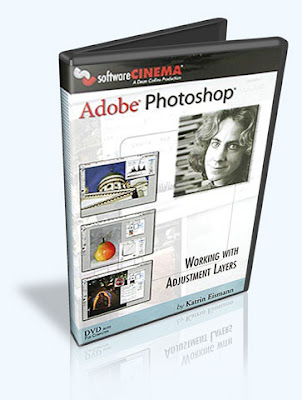
Adjustment Layers are a fantastic feature to enhance image tone, exposure, color, and contrast. Learn why and when to use Adjustment Layers and how to harness the power of Layer Masks. Katrin will demonstrate Finding Neutral, Digital Darkroom techniques, Exposure and Lighting, and Creative Color.
Lessons
Chapter 1 : Introduction and Palette Settings
Lesson 1 : Introduction
Eleven reasons to appreciate Adjustment Layers.
Lesson 2 : Levels and Settings
Explains efficient workspace and palette settings.
Lesson 3 : Saving Files with Adjustment Layers
Addresses saving files in the Photoshop and TIFF file formats.
Lesson 4 : Why Hi-Bit?
Learn the advantages and disadvantages of working with 8-bit and high-bit images.
Chapter 2 : The Value of Neutral
Lesson 5 : Levels Application
Introduction to Layers and correcting exposure and removing color casts.
Lesson 6 : Finding Neutral Part 1
Setting the black and white target values for Levels and Curves.
Lesson 7 : Finding Neutral Part 2
Finding white, black and grey to remove color casts caused by lighting and camera settings.
Lesson 8 : Finding Neutral Part 3
Taking advantage of memory colors to define neutral.
Lesson 9 : Finding Neutral Part 4
Removing extreme color contamination from antique images.
Lesson 10 : Finding Neutral Part 5
Working with Auto Levels to achieve professional results.
Lesson 11 : Finding Neutral Part 6
The importance of cropping before using Auto Levels.
Chapter 3 : Working Efficiently
Lesson 12 : Working with Macbeth
Using a known reference for accurate color correction.
Lesson 13 : Transferring Corrections
Sharing image corrections and using the Luminosity Blending Mode to improve images.
Chapter 4 : Improving Exposure Techniques
Lesson 14 : Correcting a Tintype
Understanding Blending Modes and improving a dark image.
Lesson 15 : Correcting Underexposure
Combining Blending Modes and 'Blend If' to rescue dark images.
Lesson 16 : Correcting Overexposure
Harness the power of Blending Modes to quickly improve over-exposed images.
Lesson 17 : Selective Lightening
Using Selections and Layer Masks to control and refine tonal corrections.
Chapter 5 : The Digital Darkroom
Lesson 18 : Introduction to Dodging
Non-destructive dodging technique to lighten image areas.
Lesson 19 : Introduction to Burning
Two edge burning techniques used to darken image corners.
Lesson 20 : Contrast and Enhancement
Using adjustment layers to enhance tone and contrast to make an image pop.
Lesson 21 : Balancing Exposure and Color
Enhancing daylight and color to balance an image.
Chapter 6 : Creative Color
Lesson 22 : Photo Filter to the Rescue
Removing fluorescent light color casts with a custom Photo Filter.
Lesson 23 : Color Toning
Beautiful mono and split toning techniques.
Lesson 24 : Color and BW Together
Combining color and black and white to create unique images.
Lesson 25 : Hand Coloring
Introduction to hand-coloring antique images.


 Features


 NTSC
NTSC
 Description: Fly over virtual cities and glowing motherboards. Slip through time warps and hidden portals. You'll be taken on a ride that careens up, down, around and through cyber worlds filled with colorful geometric shapes and intricate details. Collection contains 26 seamlessly looping clips.
 Features
 For more info: Product homepage


 Category: Effects


 Number of Clips: 9
 Description: Need cyber-tech backgrounds relevant to the business world? These seamlessly looping clips offer concrete images representing time, target areas across the world, and the flow of digital information. Charts, bars and graphs round out the selection. Collection features a selection of 9 clips.


 Features
 Number of Clips: 28
 This is Disk 10 of 10
 Description: Enter a galaxy of your own choosing with these CG clips featuring starfield fly-throughs, pans, tilt-ups, and other effects! Glide smoothly or travel at warp speed. Or stay safely on Earth and watch the shooting stars. Many are loopable. Collection contains 26 clips.
 Number of Clips: 34


